The EOxHub example notebook collection provides ready-to-run examples for exploring Earth Observation data and EOxHub capabilities.
The notebooks are available to all EOxHub Workspace users with access to JupyterLab, including users of a free trial. They can be opened and executed directly inside your Workspace.
Explore the Example Notebook Collection
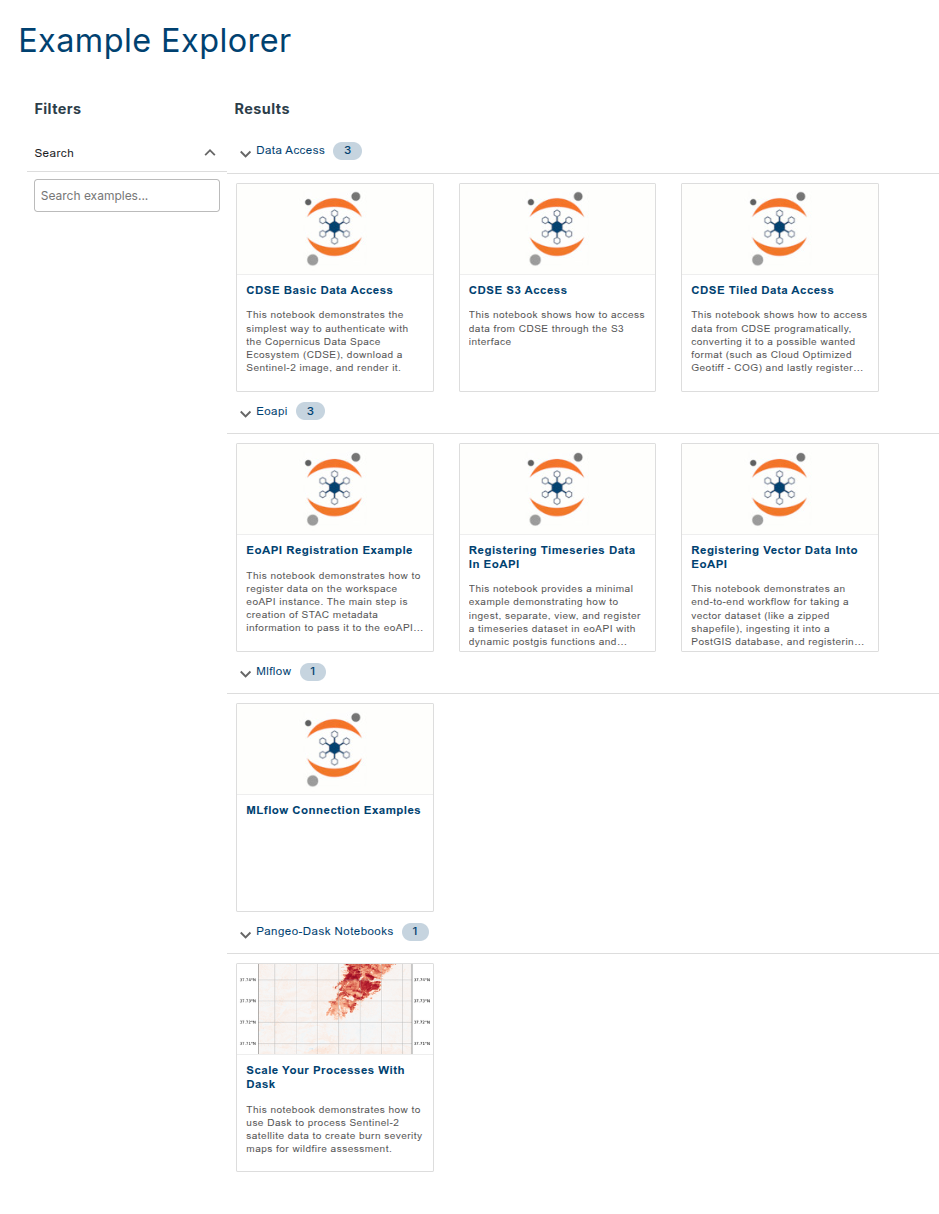
What You Can Explore
The collection currently includes examples covering:
access to Earth Observation data and external data services;
discovery and interaction with data through eoAPI;
experiment tracking with MLflow;
scalable processing with Pangeo and Dask.
The collection is continuously growing as new EOxHub capabilities, data sources, and processing examples become available.
Run an Example in Your Workspace
Open the example notebook collection.
Choose a notebook you would like to explore.
Use the option provided on the notebook page to open it in your EOxHub Workspace (space rocket symbol 🚀 in the top corner).
Select your Workspace and start JupyterLab.
Run the notebook cells or adapt the example to your own data and use case.
Or navigate to your Workspace and examine the Example Explorer from there.
Some notebooks demonstrate capabilities that depend on additional applications, credentials, or Workspace configuration. Any specific requirements are described with the individual example.
Some examples demonstrate scalable processing with Dask and other tools from the Pangeo ecosystem.
You are welcome to explore the full collection even if your current Workspace does not include every demonstrated capability.
Use the Examples as a Starting Point
The notebooks are intended to be explored and adapted. You can use them to:
learn how to access a new data source;
test an EOxHub capability;
reuse code in your own analysis;
compare different processing approaches;
create a starting point for a new algorithm.
When modifying an example, save your own copy so that the original remains available as a reference.