Works with JupyterLab
MLflow helps organize the development of machine-learning models. In EOxHub Workspaces, it can be used alongside JupyterLab to record experiments, compare model runs, and keep relevant outputs together.
What is MLflow?
Machine-learning development commonly involves testing different datasets, parameters, model architectures, and training configurations. Without dedicated experiment tracking, it can become difficult to determine which combination produced a particular result.
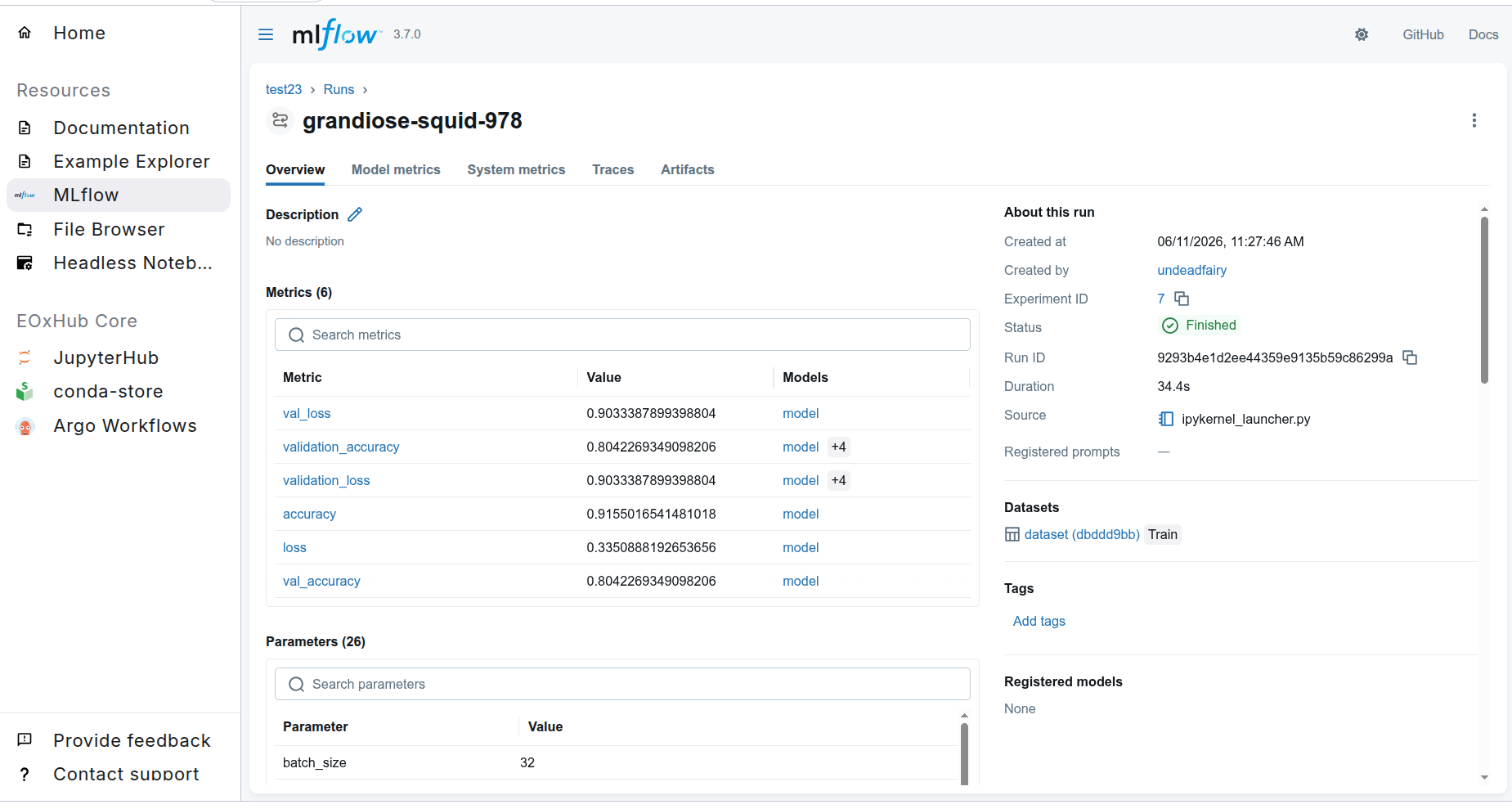
MLflow organizes this information into experiments and runs. Each run can contain:
parameters, such as the learning rate or selected model
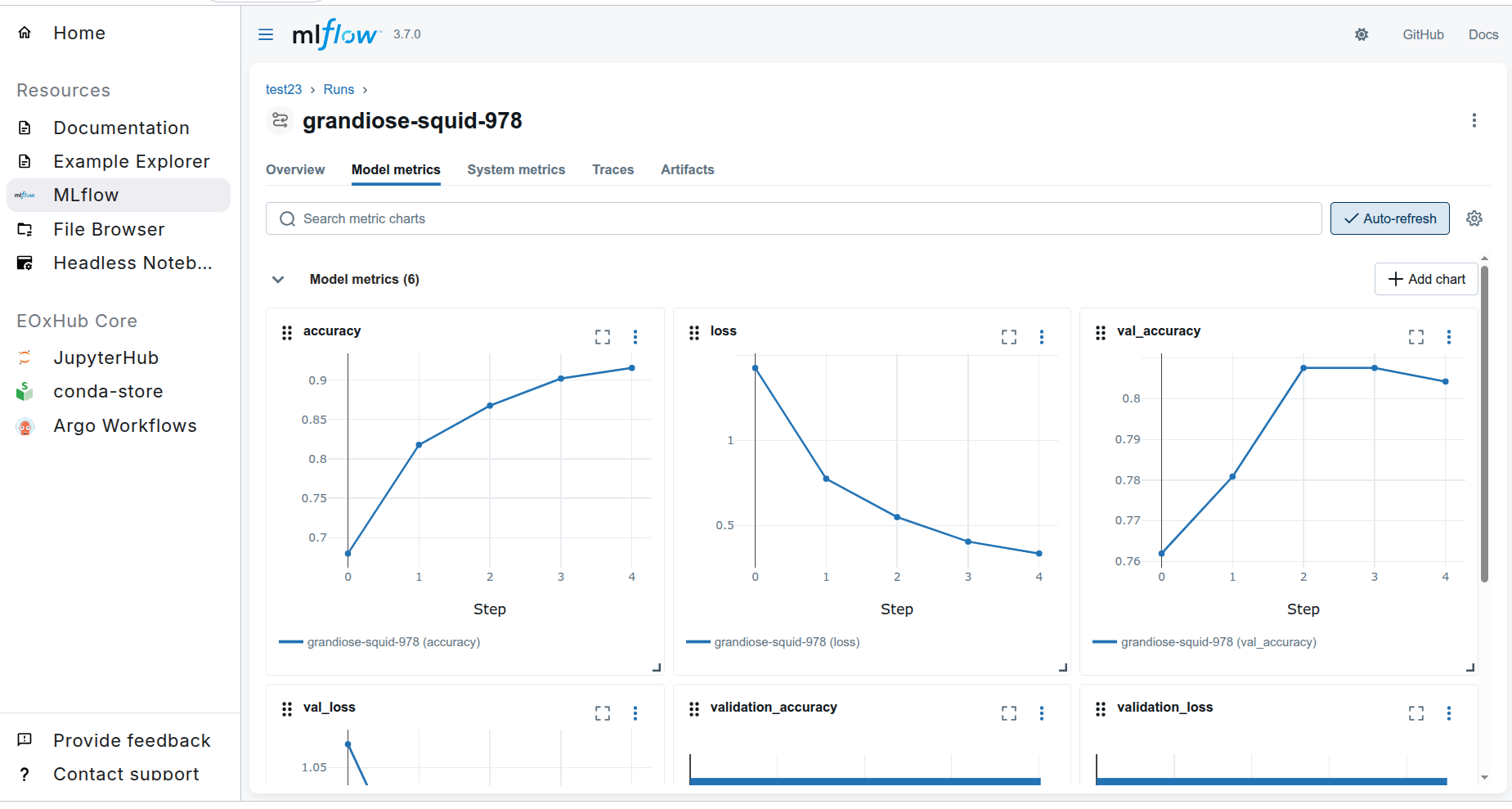
metrics, such as accuracy, loss, or validation scores
tags and descriptive metadata
output files and visualizations
and trained model artifacts
This makes experiments easier to compare, reproduce, and share with other members of a project.
Using MLflow in EOxHub
MLflow can be accessed through its graphical interface in an EOxHub Workspace. Experiments can be inspected in the interface, while notebooks and Python scripts submit information to the MLflow tracking service.
A typical workflow is:
Open JupyterLab and prepare the training or evaluation code
Connect the code to the MLflow tracking service
Create or select an experiment
Log parameters, metrics, and relevant artifacts during each run
Open the MLflow interface to compare the results
Register selected models and manage their versions in the Model Registry.
The exact tracking configuration may depend on the workspace and project setup.
Experiment tracking
MLflow Tracking provides a structured history of model development. It can help answer questions such as:
Which parameters were used for a particular run?
Which model achieved the best evaluation result?
Which dataset or preprocessing configuration was used?
Where are the resulting model and output artifacts stored?
Can an earlier result be reproduced?
Runs can be grouped into experiments and compared through the MLflow interface.
MLflow also supports automatic logging for several popular machine-learning libraries. Consult the MLflow automatic logging documentation to see which libraries and information are supported.
Models and artifacts
In addition to numeric parameters and metrics, MLflow can record files produced during an experiment. These may include:
trained models
charts and evaluation reports
configuration files
sample predictions
and other outputs required to understand the result
The MLflow Model Registry provides a central place to manage trained models throughout their lifecycle. Registered models retain their connection to the experiment and run that produced them.
The registry can be used to:
store and version trained models
trace a model back to its originating experiment
add descriptions, tags, and other metadata
compare different model versions
and use aliases to identify selected versions, such as a current preferred model
Together, Experiment Tracking and the Model Registry make it easier to move from exploratory model development toward reproducible, shared workflows.
Good practices
When tracking experiments:
Use clear experiment and run names
Record the data source and relevant preprocessing parameters
Log both training and validation metrics
Add tags or descriptions that explain the purpose of unusual runs
Store useful plots and evaluation outputs as artifacts
Avoid logging sensitive information, credentials, or unnecessary large files
Examples and learning resources
The EOxHub Example Notebooks include examples demonstrating how MLflow can be used from a Jupyter notebook.
Additional resources: