Available through JupyterLab
Dask enables Python workloads to run in parallel, from a single machine to a distributed cluster. In EOxHub Workspaces, it can be used from JupyterLab to process larger datasets or accelerate analyses that can be divided into smaller tasks.
What is Dask?
Dask extends familiar Python tools with support for parallel and distributed computing. It provides scalable alternatives for working with arrays, data frames, and custom Python tasks.
For Earth Observation workflows, Dask is particularly useful when:
processing datasets that do not fit comfortably into memory
working with chunked data through Xarray
analysing multiple files, areas, or time periods in parallel
or distributing computationally intensive operations across several workers
Dask is not required for every analysis. Smaller datasets and exploratory tasks may run more efficiently without the additional complexity of distributed processing.
Using Dask in EOxHub
Dask can be used from notebooks running in JupyterLab. A notebook connects to a Dask cluster and submits tasks to its workers while results remain available in the interactive notebook environment. Users can use the Dask Widget to monitor live status as well.
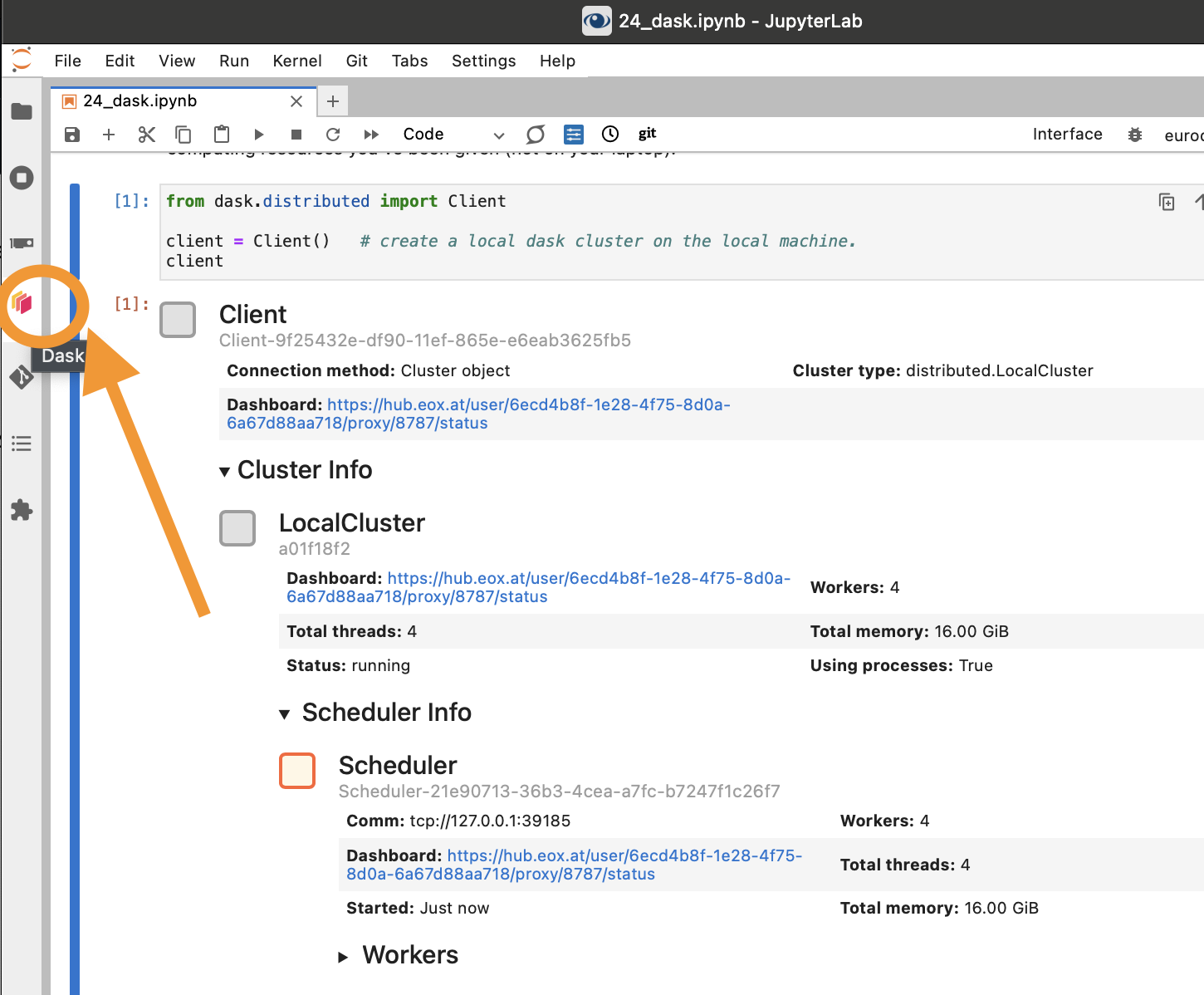
Depending on the workspace configuration, users can create or connect to a cluster and adjust the available workers to match their processing needs.
The Dask dashboard provides insight into:
active and completed tasks
worker activity
memory consumption
data transfers
and potential processing bottlenecks
Good practices
When working with Dask:
Start with a small number of workers and scale only when necessary.
Test workflows on a small subset of the data first.
Choose data chunks that are large enough to avoid creating thousands of very small tasks.
Monitor memory consumption and task progress using the Dask dashboard.
Close clusters when processing is complete.
Examples and learning resources
The EOxHub Example Notebooks include examples using Pangeo and Dask for scalable Earth Observation processing.
For a broader introduction to cloud-native Earth Observation workflows, explore the free Cubes & Clouds course.
Additional resources: